
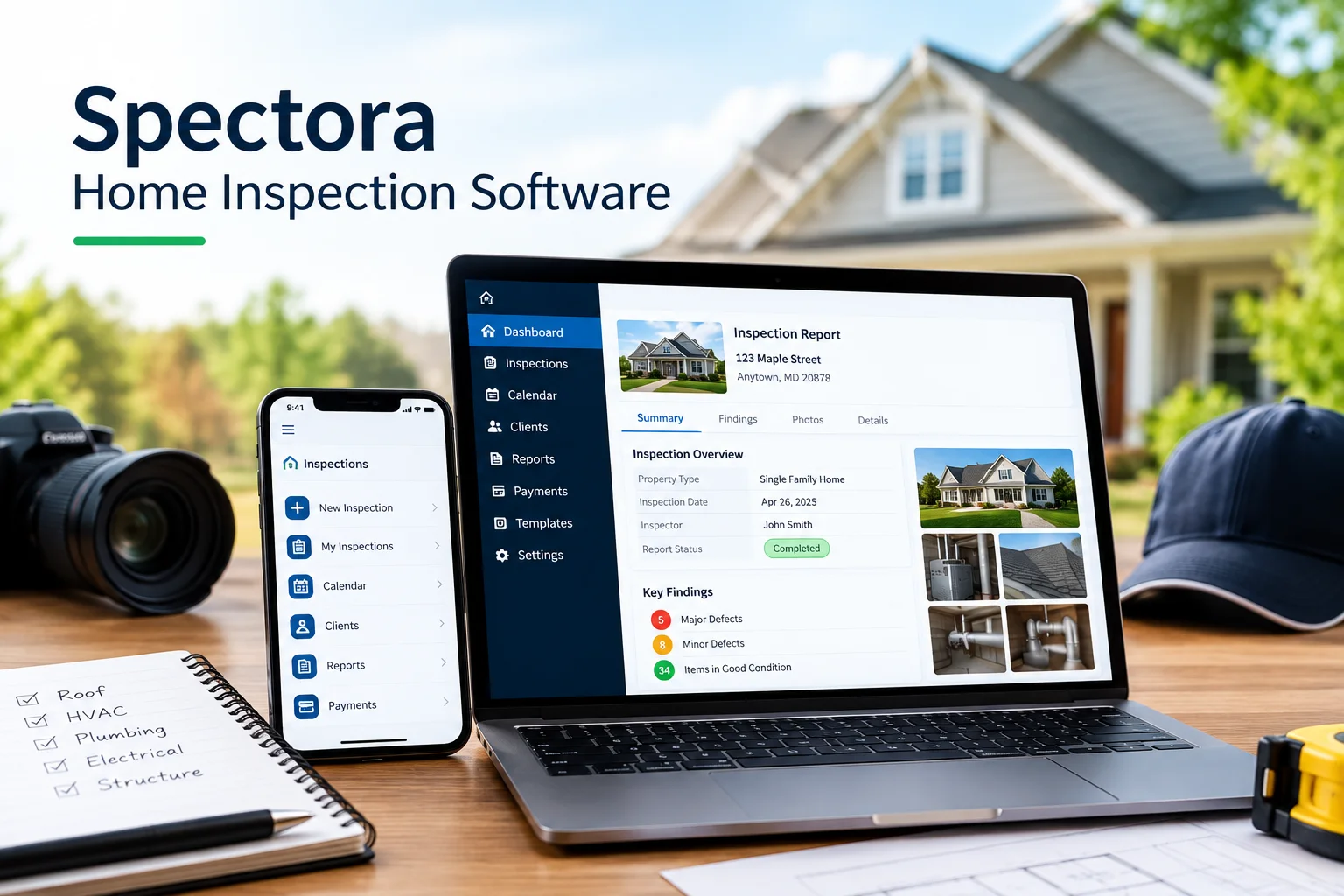
Running a professional home inspection business involves much more than walking through a property and identifying defects. Home inspectors also need to schedule appointments, communicate with clients, collect payments, document findings, take photos, prepare detailed reports, and follow up with customers. Managing all of these tasks manually can take valuable time away from inspections.
This is where Spectora Home Inspection Software can help.
Spectora is a home inspection software platform designed to help inspectors manage report writing, scheduling, payments, client communication, templates, photos, videos, and other business operations from one system. The platform currently serves more than 12,000 inspectors and includes both web-based and mobile tools.
For home inspection companies looking to organize their workflow and create professional digital reports, software such as Spectora can be an important part of their technology stack.
In this guide, we will explain what Spectora is, how Spectora home inspection software works, its major features, potential benefits, pricing information, and how professional inspection companies can use technology to improve their inspection workflow.
What Is Spectora Home Inspection Software?
Spectora home inspection software is a digital platform built specifically for home inspection professionals. It combines several business and inspection functions into one system rather than requiring inspectors to use separate tools for reporting, scheduling, payments, and customer communication.
The platform provides mobile and web-based report writing, customizable templates, online scheduling, digital reports, payment functionality, client portals, photos and videos, and business-management features.
For an inspector, the basic workflow can look like this:
- A customer schedules an inspection.
- The inspection is added to the calendar.
- The inspector performs the property inspection.
- Findings and photographs are documented through the software.
- The inspector completes the report.
- The report is delivered digitally to the client.
- Payments and follow-up communications can be managed through the platform.
Having these activities connected can reduce the amount of administrative work involved in running an inspection business.
Why Do Home Inspectors Use Inspection Software?
Home inspections generate a significant amount of information. An inspector may need to document roofing conditions, structural components, electrical systems, plumbing, HVAC equipment, moisture concerns, safety issues, and other property conditions.
Without dedicated software, an inspector may have to take photographs separately, write notes in another application, create a report manually, email the report to the client, and maintain appointment information in a separate calendar.
This can create unnecessary duplication.
Inspection software brings many of these tasks into one workflow.
For example, Spectora supports mobile and web report writing, customizable templates, high-resolution photos and videos, PDF reports, web-based interactive reports, online scheduling, integrated payments, and client communication.
The result is a more organized process from the initial booking through report delivery.
Key Features of Spectora Home Inspection Software
1. Mobile Report Writing
One of the most useful features for field inspectors is mobile report writing.
Instead of waiting until they return to the office, inspectors can work on reports while they are at the property. Spectora provides mobile tools as well as a web editor, allowing inspectors to work in the environment that fits their workflow.
Mobile reporting can be particularly useful for inspectors who want to document observations immediately.
The inspector can record information while examining different areas of the property rather than relying entirely on handwritten notes.
2. Customizable Inspection Templates
Every inspection company may organize reports differently.
A company may want specific sections for roofing, electrical systems, plumbing, HVAC, structural components, interiors, exteriors, and other areas.
Spectora allows inspectors to create and customize templates around their inspection process. Its template center also provides templates that inspectors can use or adapt.
Custom templates can help create consistency across multiple inspections.
They can also make report writing more efficient because common inspection observations and report structures do not need to be recreated from scratch each time.
3. Professional Digital Reports
The inspection report is one of the most important deliverables provided to a homebuyer or property owner.
Spectora provides web-based interactive reports as well as PDF report options.
Digital reports can make it easier for clients to review findings, photographs, recommendations, and other information.
A well-organized report can also help clients understand the condition of a property without having to interpret a collection of handwritten notes.
4. Photos and Videos
Visual documentation is an important part of modern home inspections.
An inspector may photograph:
- Roof damage
- Water stains
- Electrical concerns
- Plumbing leaks
- Foundation cracks
- HVAC components
- Damaged decks
- Moisture problems
- Structural concerns
- Safety hazards
Spectora supports high-quality photos and videos as part of its inspection reporting workflow. The platform currently advertises unlimited high-resolution photos and videos with its software plans.
Photos can provide useful context for written observations and help clients understand exactly where an issue was identified.
5. Offline Inspection Reporting
Home inspectors cannot always depend on a strong internet connection while working at a property.
Spectora’s mobile application supports offline report writing and synchronization when the device reconnects to the internet.
This can be useful when inspecting properties in areas with weak cellular or Wi-Fi coverage.
Instead of stopping the inspection because of connectivity problems, an inspector can continue documenting findings and synchronize the information later.
6. Online Scheduling
Scheduling inspections manually can become difficult as a business grows.
Spectora provides an online scheduler that can be integrated with a website, allowing customers to book inspections online. It also includes calendar functionality and automated confirmations and reminders.
Online scheduling can help reduce back-and-forth communication.
For example, instead of repeatedly exchanging emails or phone calls to find a suitable appointment, customers can use an online scheduling system to select available times.
7. Automated Client Communication
Communication is another important part of running a home inspection company.
Clients may need:
- Appointment confirmations
- Inspection reminders
- Payment instructions
- Report notifications
- Follow-up messages
- Review requests
Spectora provides email and SMS communication features and automation capabilities for inspection-related messaging.
Automated communication can reduce repetitive administrative tasks while helping clients stay informed.
8. Integrated Payments
Collecting payment is another responsibility that inspection companies must manage.
Spectora includes integrated payment functionality so payment can be connected with the inspection workflow. Its current platform also supports digital agreements and payment options.
This can make the payment process more convenient for both the inspection company and the customer.
9. Client Portal
Spectora provides a client portal where customers can access inspection-related information. The platform’s current offering includes a client portal that can be used for viewing reports, payments, and scheduling services.
A centralized client experience can be easier than sending multiple emails containing different documents and payment instructions.
10. AI-Assisted Report Writing
AI is becoming increasingly common in inspection software.
Spectora currently offers AI Comment Assist, which can help inspectors turn observations into clearer comments. Its AI tools are designed to support the inspector’s documentation process rather than replace professional inspection judgment. Spectora also lists AI Report Assist as an early-access feature.
For example, an inspector may record an observation and use AI assistance to help formulate a clear report comment.
However, the inspector remains responsible for reviewing the report and ensuring that the final information accurately reflects the actual inspection findings.
Spectora for New Home Inspectors
Starting a home inspection business can involve learning both the inspection process and the administrative side of running a company.
New inspectors may need to create templates, organize appointments, generate reports, communicate with clients, and establish professional workflows.
Spectora offers guided setup, templates, onboarding resources, and report-writing tools intended to help inspectors get started.
For someone new to the industry, having multiple business functions available in one platform may reduce the need to assemble a complicated collection of separate software tools.
Spectora for Multi-Inspector Companies
Inspection companies with several inspectors have additional management challenges.
They need to coordinate schedules, maintain consistent report quality, track business performance, and manage customer and agent relationships.
Spectora supports team inspections and provides additional business-management capabilities through Spectora Advanced. These include business metrics, reporting, automations, team management, and other operational tools.
This type of functionality can become more important as an inspection company expands from a single inspector to a larger team.
How Much Does Spectora Cost?
Spectora’s pricing can change, so inspectors should check the current pricing page before purchasing.
At the time of writing, Spectora lists its base inspection software at $109 per month or $1,090 per year. The company also lists a two-inspection free trial. Additional inspectors are listed at $99 per month or $999 annually.
Spectora Advanced is offered as an optional upgrade and is currently listed at $4 per published inspection.
Pricing may change over time, and features can also be updated, so businesses should verify the current plans directly with Spectora before making a purchasing decision.
Is Spectora Useful for Professional Home Inspection Businesses?
The usefulness of any inspection software depends on the company’s workflow, budget, inspection volume, and preferred tools.
Spectora brings reporting, scheduling, payments, communication, templates, and business-management features into one platform.
For inspectors who currently use several disconnected tools, consolidating workflows may simplify daily administration.
However, software should support professional inspection practices rather than replace the inspector’s knowledge and judgment.
The quality of an inspection ultimately depends on the qualifications, experience, inspection standards, documentation, and professional judgment of the inspector.
How Inspection Software Supports Better Customer Experience
Homebuyers often feel overwhelmed by the amount of information involved in purchasing a property.
A professional inspection report should make important findings easier to understand.
Digital inspection software can support this experience by organizing observations, photographs, recommendations, and report sections in a structured format.
Clear communication can help customers understand:
- What was inspected
- What problems were observed
- Which issues may require attention
- Where an issue is located
- What additional evaluation may be appropriate
Inspection software can therefore be part of the customer experience, but it should complement—not replace—clear communication between the inspector and client.
Home Inspection Services in Maryland
Technology is only one part of a professional inspection.
A qualified inspector must still physically evaluate the property and identify conditions that may require attention.
For homeowners and buyers in Maryland, DeepSeek Home Inspections provides professional home inspection services across multiple communities, including Ellicott City, Columbia, Frederick, Baltimore, Rockville, Gaithersburg, Silver Spring, Bethesda, Annapolis, and other Maryland locations.
DeepSeek Home Inspections provides general home inspections for buyers, sellers, homeowners, and real estate professionals.
Its services include general home inspections, mold inspections, pre-drywall inspections, termite inspections, pool inspections, and deck inspections.
General Home Inspection and Digital Reporting
A general home inspection typically examines major systems and components of a property.
DeepSeek Home Inspections states that its general inspections cover areas such as the roof, foundation, HVAC, plumbing, electrical systems, and other major components.
A digital reporting platform can help organize findings from these different areas.
For example, photographs and written observations can be grouped according to the relevant inspection section, making the final report easier for the client to navigate.
If you are buying or selling a property in Ellicott City, you can learn more about general home inspection services in Ellicott City, MD and what a professional inspection can cover.
Specialized Inspections and Technology
Some properties require additional inspection services beyond a standard home inspection.
Mold Inspection
Moisture and mold concerns can require additional investigation.
DeepSeek Home Inspections offers mold inspection services as part of its Maryland inspection services.
Pre-Drywall Inspection
A pre-drywall inspection takes place before drywall conceals important construction components.
This type of inspection can help identify concerns involving framing, plumbing, wiring, and other construction elements before they become hidden behind finished walls.
DeepSeek offers pre-drywall inspections for Maryland properties.
Termite Inspection
Wood-destroying insects can cause significant property damage.
A termite inspection can help identify visible evidence of termite activity or related concerns and may be recommended depending on the property and circumstances.
Pool Inspection
Pools contain multiple structural and mechanical components that require attention.
DeepSeek Home Inspections provides pool inspection services that examine pool systems and structural conditions.
Deck Inspection
Decks should be evaluated for structural condition and safety.
DeepSeek also offers deck inspections designed to identify potential damage or weak areas.
Thermal Imaging and Home Inspection Technology
Modern inspection companies can also use technology such as thermal imaging to support visual inspections.
Thermal imaging can help identify temperature differences that may indicate potential moisture, insulation, electrical, or other conditions requiring further evaluation.
DeepSeek Home Inspections lists thermal imaging among its inspection-related technologies and services, with applications including moisture, heat loss, and electrical concerns.
Thermal imaging should be interpreted by a qualified professional because a temperature difference alone does not automatically prove a defect.
Spectora vs. the Inspector: What Matters Most?
Spectora and other home inspection software platforms can make reporting and business administration more efficient, but software itself does not perform the physical inspection.
The inspector remains responsible for examining the property, documenting observations accurately, explaining findings, and following applicable professional requirements.
A good inspection workflow combines:
Professional expertise + thorough inspection + accurate documentation + clear communication + organized reporting.
Software can support each of these areas, but it should be treated as a tool rather than a substitute for professional expertise.
Tips for Choosing Home Inspection Software
Before choosing inspection software, consider the following questions:
Does It Work on Mobile Devices?
Inspectors spend much of their time in the field, so mobile functionality is important.
Can You Customize Reports?
Every inspection company has different reporting preferences. Customizable templates can make the software more useful.
Does It Support Photos and Videos?
Visual documentation is an important component of many inspection reports.
Does It Work Offline?
If you frequently inspect properties with weak internet connectivity, offline functionality may be useful.
Does It Support Scheduling?
Online booking and calendar management can reduce administrative work.
Can You Automate Communication?
Automated reminders and follow-ups can save time.
Does It Integrate Payments?
Integrated payment tools can simplify the customer experience.
Can It Scale With Your Business?
If you plan to hire additional inspectors, consider whether the software supports teams and business reporting.
Final Thoughts
Spectora Home Inspection Software is designed to bring many aspects of an inspection business into one platform. Its current features include mobile and web report writing, customizable templates, digital reports, photos and videos, offline reporting, scheduling, payments, client communication, and AI-assisted tools.
For home inspectors, software can reduce administrative work and create a more organized process from scheduling an inspection to delivering the final report.
However, technology is only one part of a successful home inspection. Professional knowledge, careful examination, accurate documentation, and clear communication remain essential.
For homeowners, buyers, and sellers in Maryland, DeepSeek Home Inspections provides professional inspection services throughout the state, including general home inspections, mold inspections, pre-drywall inspections, termite inspections, pool inspections, and deck inspections.
If you are preparing to buy, sell, or maintain a property, a professional home inspection can help you better understand the property’s condition and identify issues that may require attention.


